

Built for UK builders merchants. Every screen, explained.
One platform runs the trade counter, the yard, the vans and the web store. Scroll through each part of it: a short walkthrough, then the screen itself with every feature pointed out.
Admin screens are 4K captures of the live app with every name and business figure replaced by realistic sample data. The point of sale and the three phone apps are recreated from the app's source code, also with sample data.
The whole business on one screen.
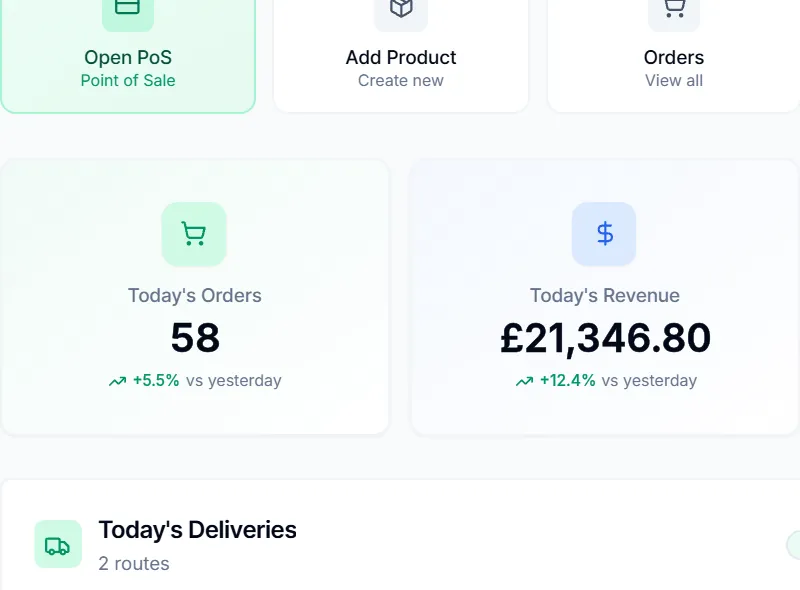
Sales, deliveries, compliance and stock land on the home screen the moment you sign in, each one click from the place you act on it.
- Today's orders and revenue against yesterday
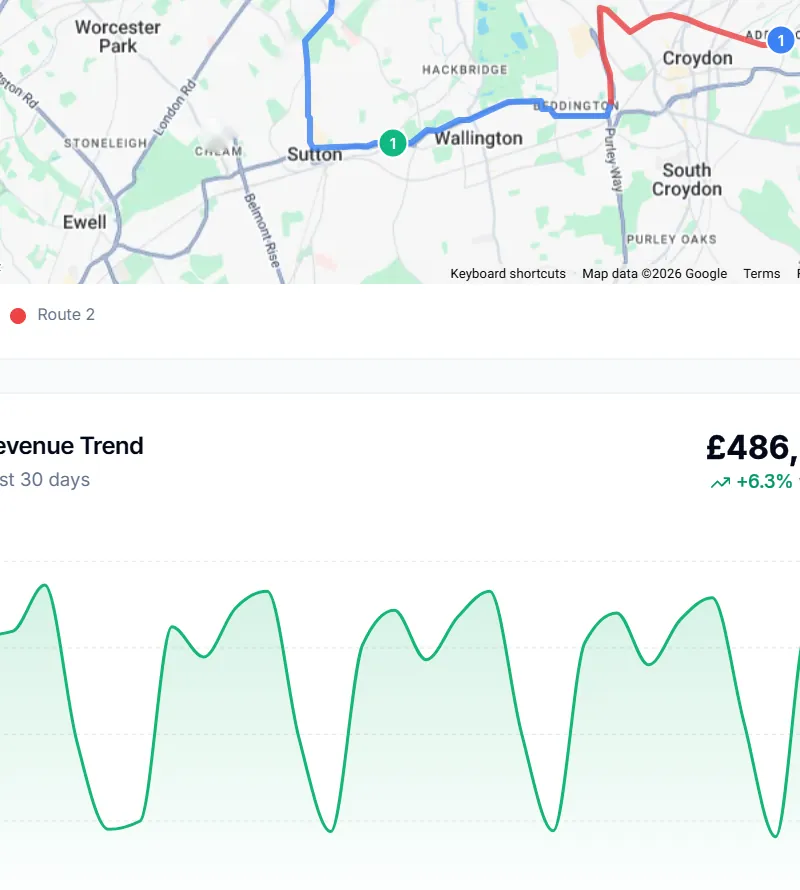
- Live delivery routes on Google Maps
- Vehicle inspections and stock-outs as dated events
- Aura, the AI assistant, available on every admin screen

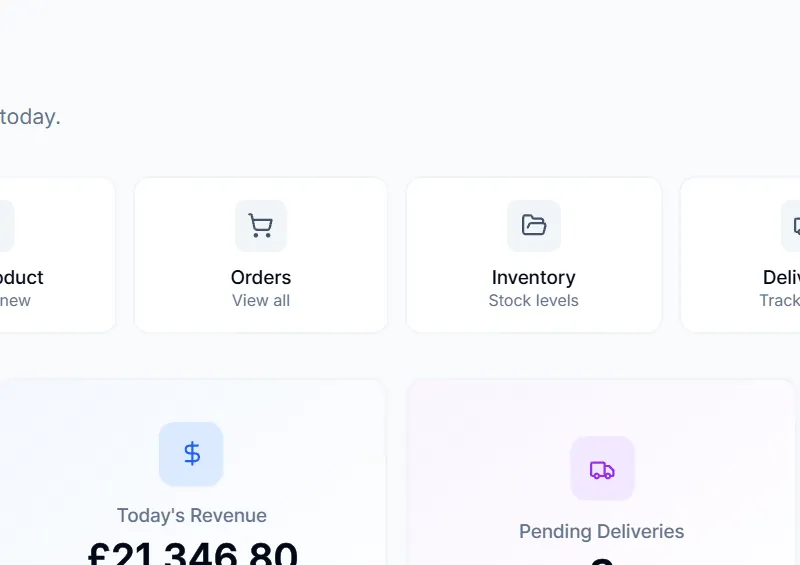
- One-tap launchers. Open the till, add a product, or jump to orders, inventory, deliveries and locations from the home screen.
- Today at a glance. Today's orders and revenue compared with yesterday, beside pending deliveries and stock alerts.
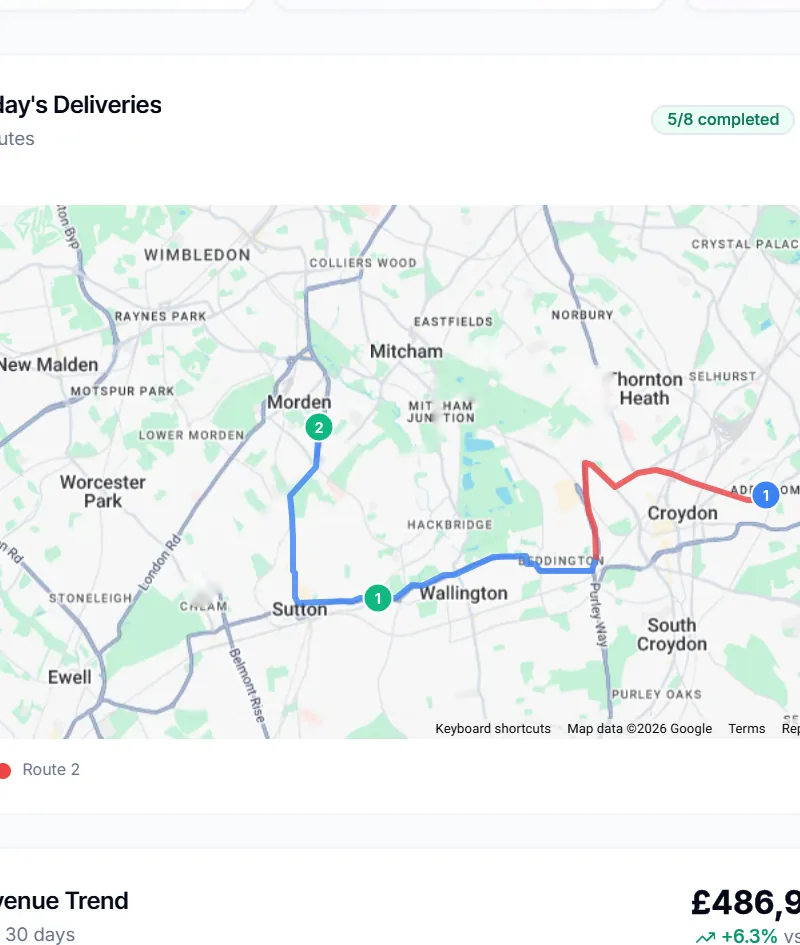
- Live delivery routes. Today's routes on Google Maps with numbered stops and how many drops are complete.
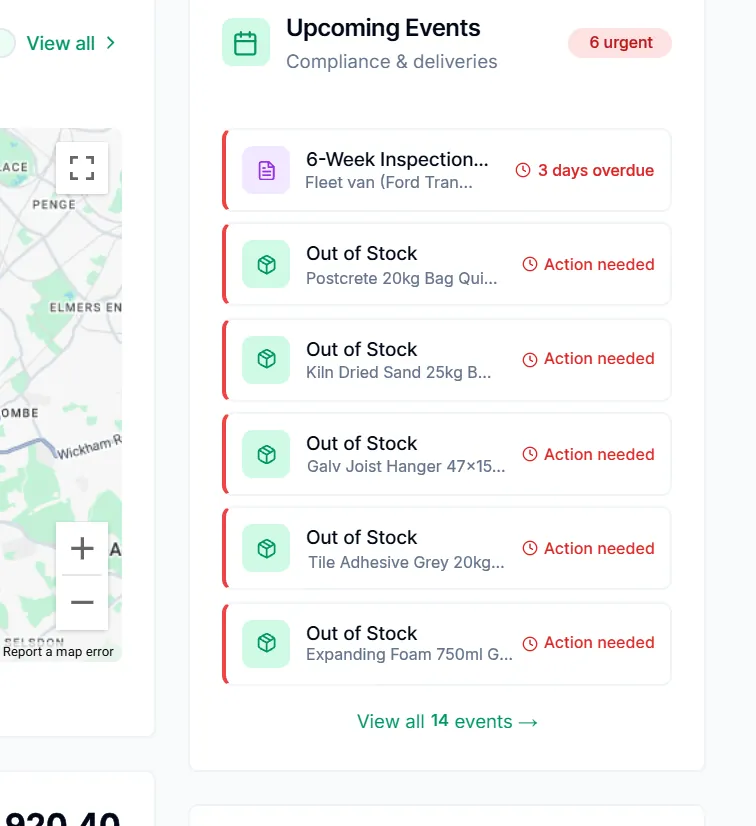
- Compliance and stock events. Vehicle inspections and out-of-stock lines appear as dated events, flagged overdue or action needed.
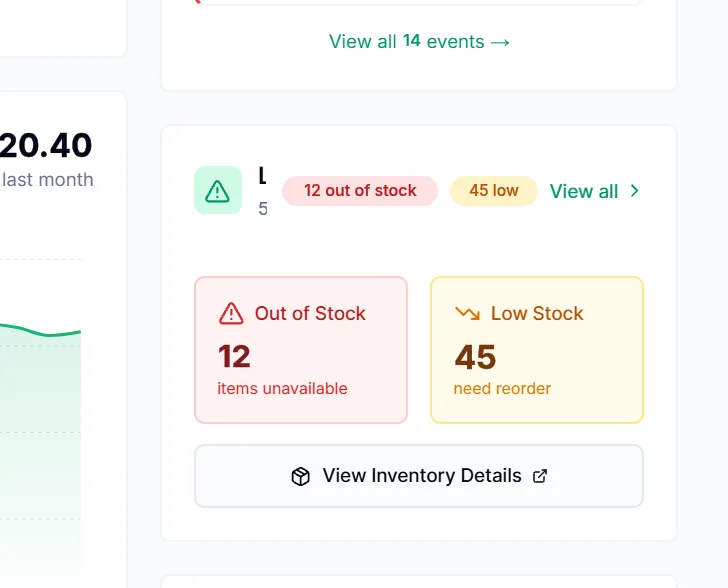
- Stock alerts that lead to action. Out-of-stock and low-stock counts, one click from the inventory view where purchase orders are raised.
- 30-day revenue trend. Daily revenue for the last 30 days with the change against last month.
WalkthroughOne-tap launchersLive delivery routesCompliance and stock eventsStock alerts that lead to action One-tap launchers. Open the till, add a product, or jump to orders, inventory, deliveries and locations from the home screen.
Live delivery routes. Today's routes on Google Maps with numbered stops and how many drops are complete.
Compliance and stock events. Vehicle inspections and out-of-stock lines appear as dated events, flagged overdue or action needed.
Stock alerts that lead to action. Out-of-stock and low-stock counts, one click from the inventory view where purchase orders are raised.


Show 2 more details
Today at a glance. Today's orders and revenue compared with yesterday, beside pending deliveries and stock alerts.
30-day revenue trend. Daily revenue for the last 30 days with the change against last month.


A till built for the trade counter.
Scan, price by account, choose take-now, collect or deliver, and take payment on the terminal you already use, with every sale updating stock straight away.
- Card terminals: Stripe Terminal, Worldpay, Dojo and Revolut
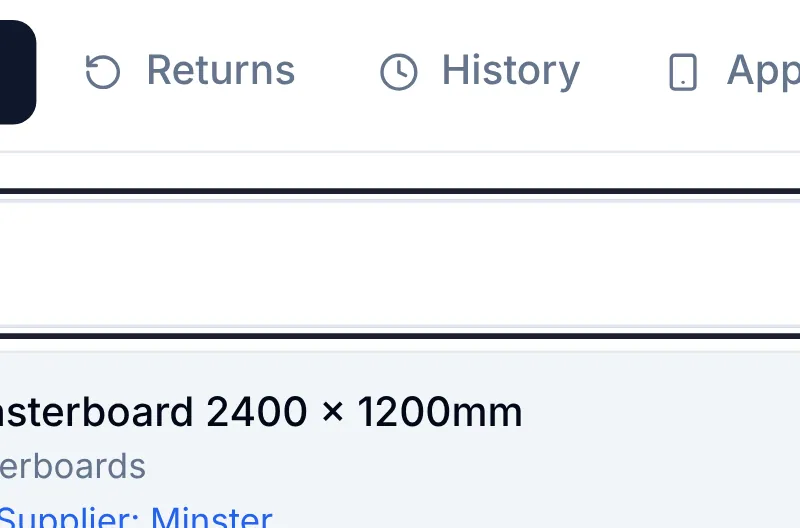
- Returns, sale history, app sales and a cash drawer in the same screen
- Estimates and proforma invoices that convert into sales
- Account payments against trade credit balances
- Miscellaneous items for anything not yet in the catalogue

- Every till job on one screen. Sale, returns, history, app sales and the cash drawer are tabs, with estimates, proformas and account payments beside them.
- Scan or search. A barcode scan lands in the search box and adds the line; staff can also search by name or SKU.
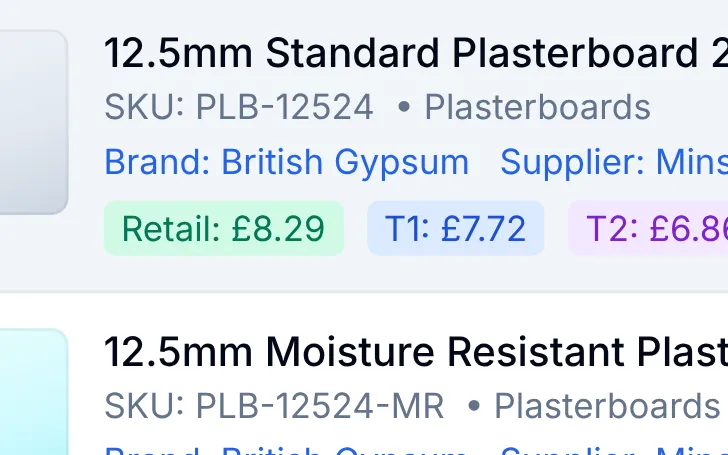
- Every price tier in view. Retail, Trade 1 and Trade 2 prices on each result, next to live stock and reserved quantities.
- Accounts price themselves. Choose a trade account and new lines take its tier automatically, with the retail price shown struck through.
- Take now, collect or deliver. Fulfilment sits on the basket; Deliver opens booking with day and slot chips and a weight-banded delivery charge.
- Net prices, VAT per line. Prices are held ex-VAT and VAT is added line by line, shown as subtotal, VAT and total the way trade invoices are.
WalkthroughScan or searchEvery price tier in viewAccounts price themselvesNet prices, VAT per line Scan or search. A barcode scan lands in the search box and adds the line; staff can also search by name or SKU.
Every price tier in view. Retail, Trade 1 and Trade 2 prices on each result, next to live stock and reserved quantities.
Accounts price themselves. Choose a trade account and new lines take its tier automatically, with the retail price shown struck through.
Net prices, VAT per line. Prices are held ex-VAT and VAT is added line by line, shown as subtotal, VAT and total the way trade invoices are.


Show 2 more details
Every till job on one screen. Sale, returns, history, app sales and the cash drawer are tabs, with estimates, proformas and account payments beside them.
Take now, collect or deliver. Fulfilment sits on the basket; Deliver opens booking with day and slot chips and a weight-banded delivery charge.


From low stock to a priced purchase order in seconds.
Reorder points flag what is running out. Select the lines and a purchase order opens, costed at each supplier's own rates and ready to email.
- Reservation-aware stock: on hand, reserved and available
- Quantities default to each product's reorder quantity
- Supplier rates from the multi-supplier pricing card
- New prices can be saved to the supplier for next time
- Stock transfers between locations and multi-location stock

- Low stock to purchase order. Tick the low-stock lines and press Create PO; quantities start at each product's reorder quantity.
- Reorder points built in. Each line shows available stock against its reorder point, flagged In Stock, Low Stock or Out of Stock.
- Suppliers linked to the products. Suppliers already priced for the selected items are offered first, showing how many lines each one covers; the PO is emailed to them.
- Supplier rate on every line. Lines are costed at that supplier's price from multi-supplier pricing, marked Preferred, with a live line total.
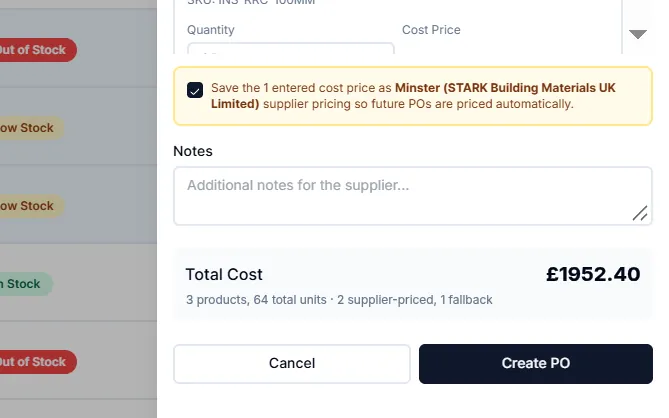
- Learns new cost prices. Type a price for an unpriced line and save it as that supplier's pricing, so the next PO is priced automatically.
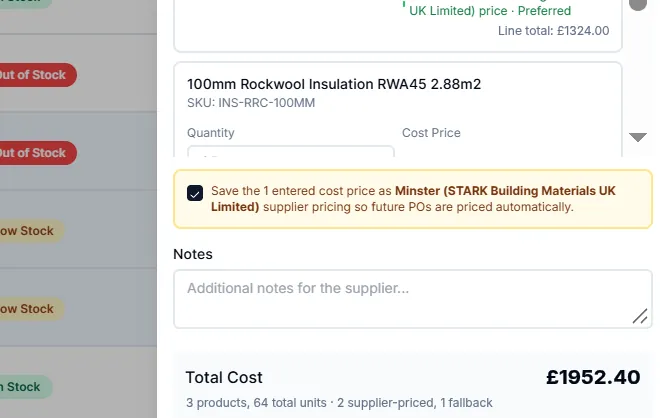
- Honest totals. Products, units and how many lines are supplier-priced versus fallback cost, before anything is sent.
WalkthroughLow stock to purchase orderSuppliers linked to the productsSupplier rate on every lineLearns new cost prices Low stock to purchase order. Tick the low-stock lines and press Create PO; quantities start at each product's reorder quantity.
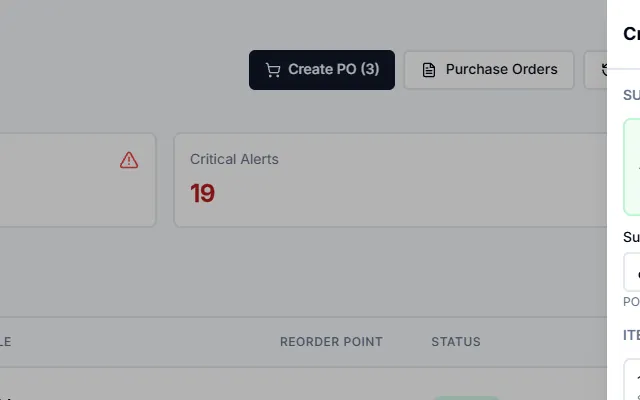
Suppliers linked to the products. Suppliers already priced for the selected items are offered first, showing how many lines each one covers; the PO is emailed to them.
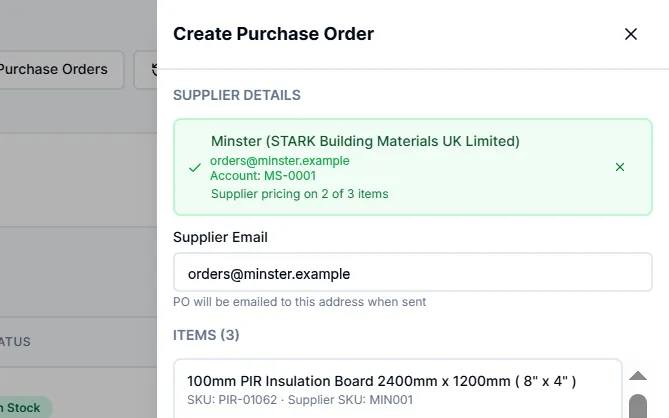
Supplier rate on every line. Lines are costed at that supplier's price from multi-supplier pricing, marked Preferred, with a live line total.
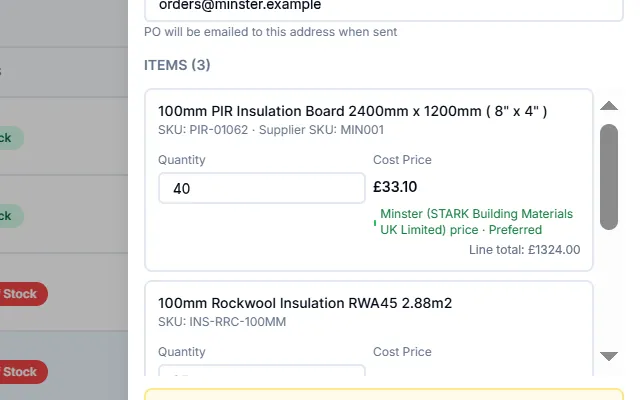
Learns new cost prices. Type a price for an unpriced line and save it as that supplier's pricing, so the next PO is priced automatically.


Show 2 more details
Reorder points built in. Each line shows available stock against its reorder point, flagged In Stock, Low Stock or Out of Stock.
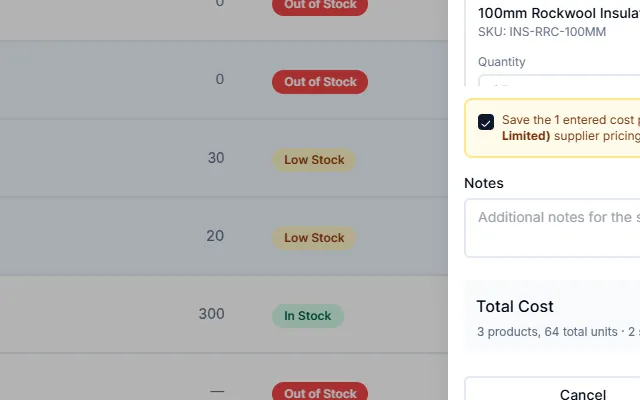
Honest totals. Products, units and how many lines are supplier-priced versus fallback cost, before anything is sent.


Catalogue data that does the work.
Barcodes, SKUs, labels and web copy are generated for you, so a new line is ready for the counter, the shelf and the website in one pass.
- Automatic EAN-13 barcodes and professional SKUs
- Label printing for Brother P-touch, QL and TD printers
- Description by AI, written with Claude
- Units of measure for timber, aggregates, sheet and bagged goods
- WooCommerce sync for the web store

- On hand, reserved, available. Reservation-aware stock on every product, so available is what you can actually sell.
- Professional SKUs. SKUs are checked for a proper structure; weak ones can be regenerated and synced to WooCommerce.
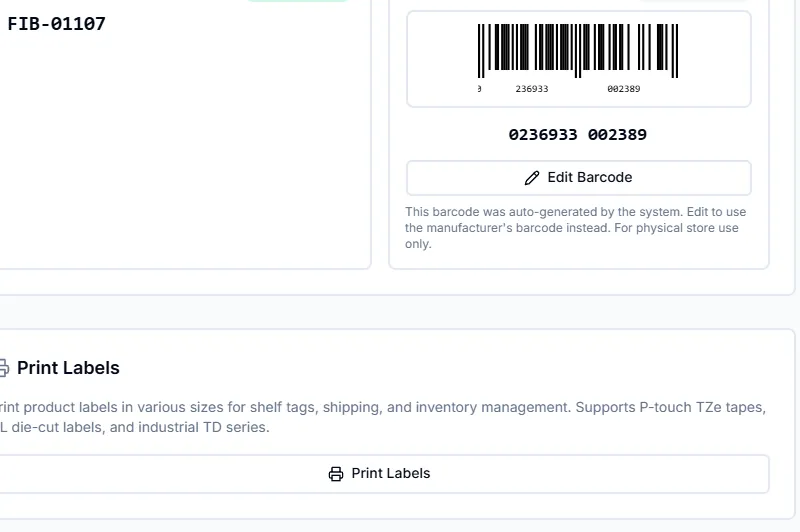
- EAN-13 barcodes generated. A scannable EAN-13 is created automatically; swap in the manufacturer's barcode whenever you have it.
- Label printing. Shelf, shipping and stock labels in Brother P-touch TZe, QL die-cut and industrial TD sizes.
WalkthroughEAN-13 barcodes generatedLabel printingLinked to the supplier recordDescription by AI EAN-13 barcodes generated. A scannable EAN-13 is created automatically; swap in the manufacturer's barcode whenever you have it.
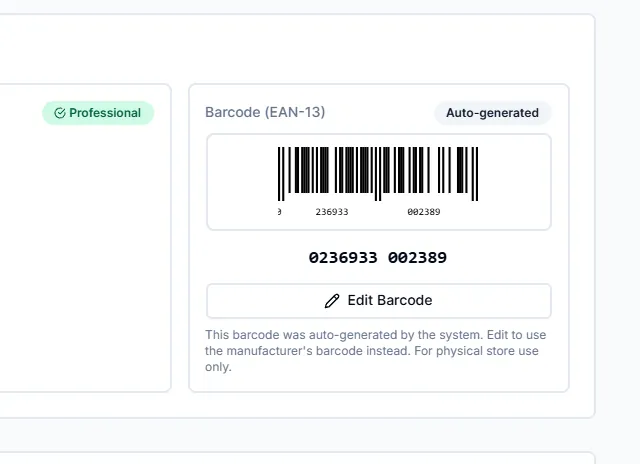
Label printing. Shelf, shipping and stock labels in Brother P-touch TZe, QL die-cut and industrial TD sizes.


Show 2 more details
On hand, reserved, available. Reservation-aware stock on every product, so available is what you can actually sell.
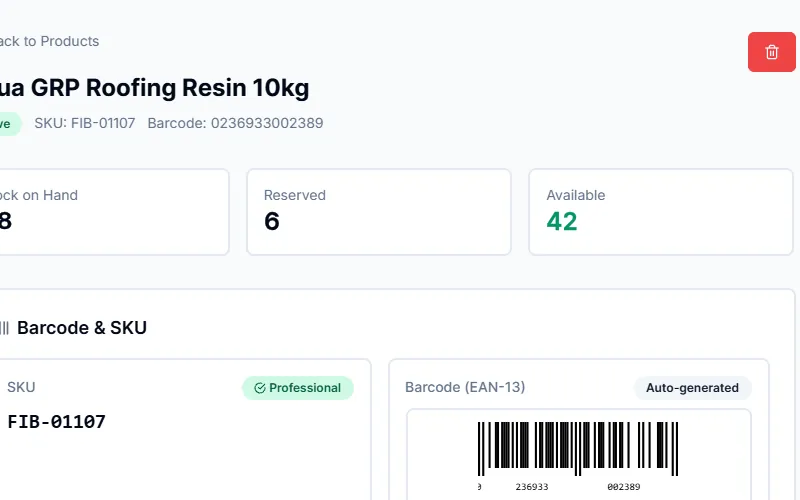
Professional SKUs. SKUs are checked for a proper structure; weak ones can be regenerated and synced to WooCommerce.
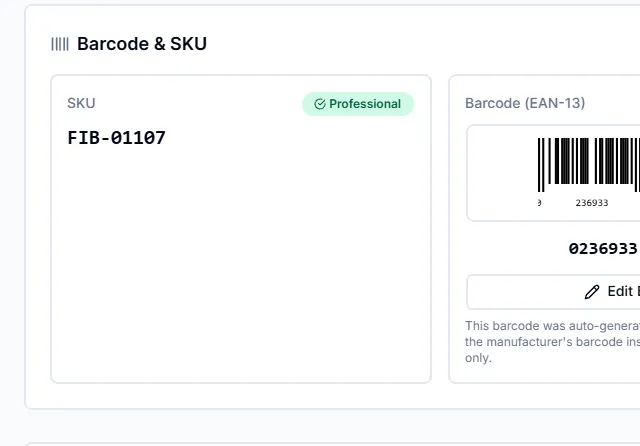


- Builders-merchant units. Sell by each, metre, m², m³, kg, tonne, litre, sheet, pack, bag or box.
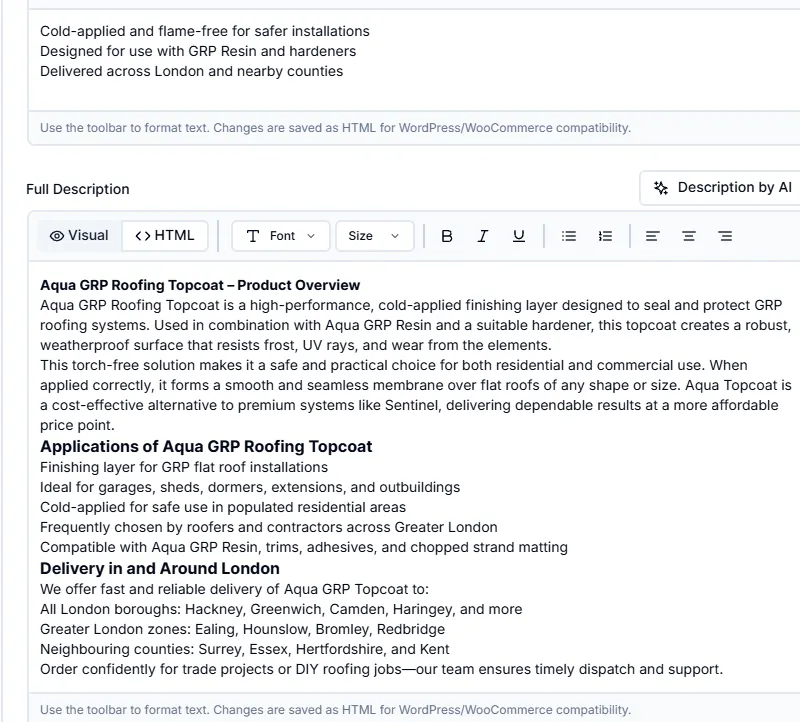
- Web-ready long descriptions. Structured copy with headings, uses and delivery areas, saved as HTML that WooCommerce accepts.
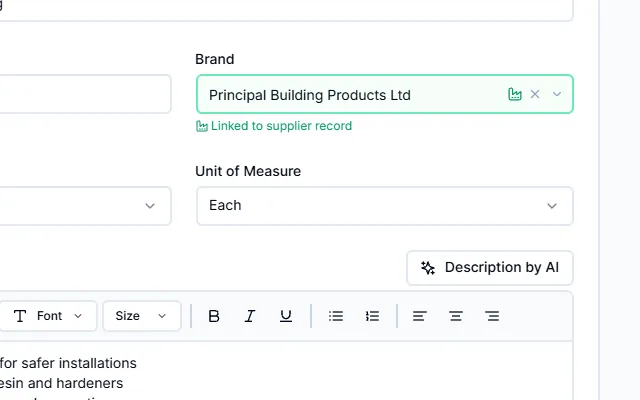
- Linked to the supplier record. Brand and supplier link to your supplier records rather than free text, which is what multi-supplier pricing builds on.
- Description by AI. One click drafts short and full descriptions with Claude, using the product name, brand, category and web research.
Linked to the supplier record. Brand and supplier link to your supplier records rather than free text, which is what multi-supplier pricing builds on.
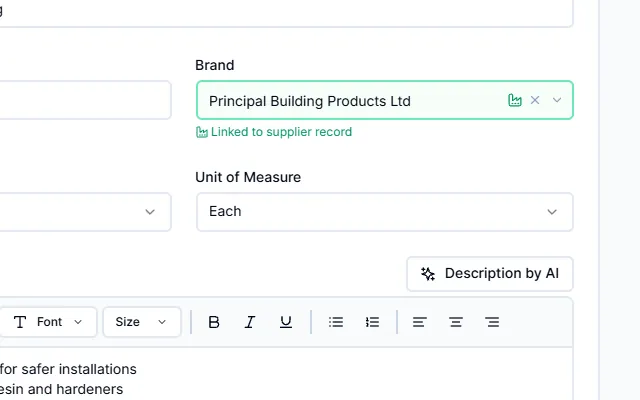
Description by AI. One click drafts short and full descriptions with Claude, using the product name, brand, category and web research.
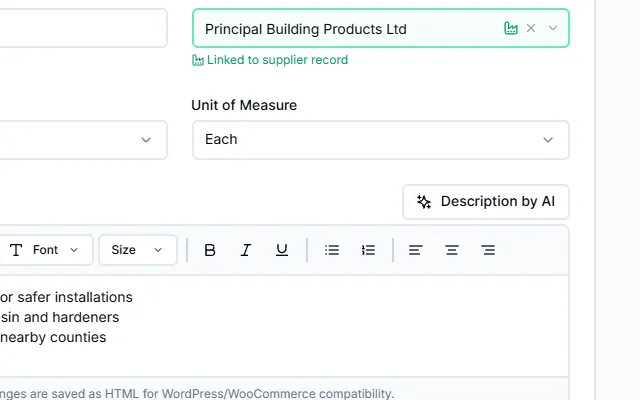


Show 2 more details
Builders-merchant units. Sell by each, metre, m², m³, kg, tonne, litre, sheet, pack, bag or box.
Web-ready long descriptions. Structured copy with headings, uses and delivery areas, saved as HTML that WooCommerce accepts.


Know your margins while the day is still running.
Realtime P&L, a Top 100 league table and margin by category, all calculated on ex-VAT figures so they agree with your accounts.
- Realtime P&L with fixed daily costs and branch comparison
- Top 100 products ranked by quantity, profit, margin or growth
- Top customers with at-risk detection
- Inventory valuation, account statements and CSV export

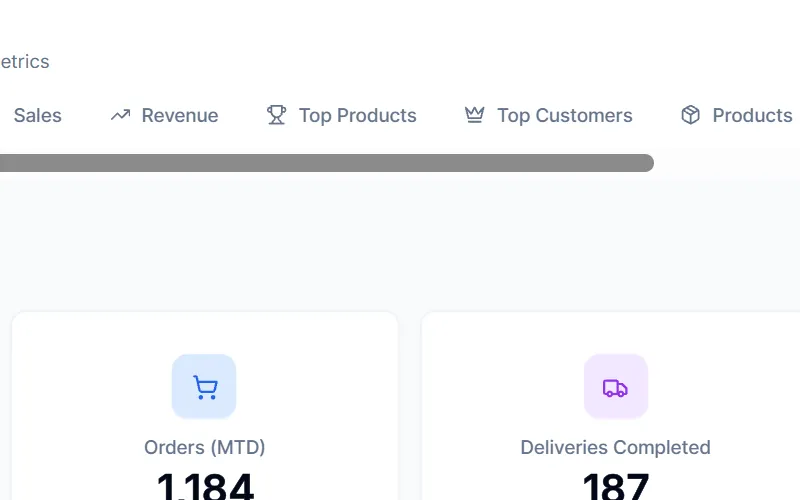
- Every report in one place. Realtime P&L, sales, revenue, top products, top customers, products, customers and deliveries as tabs.
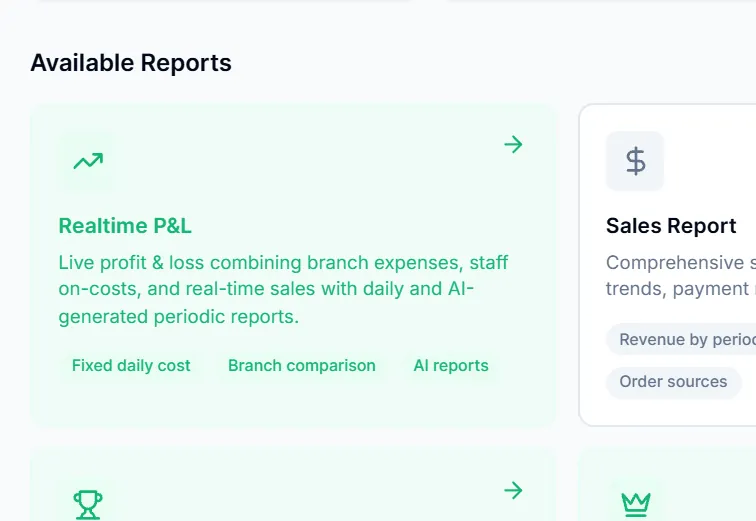
- Realtime P&L. Live profit and loss combining branch expenses, staff on-costs and real-time sales, with daily and AI-generated periodic reports.
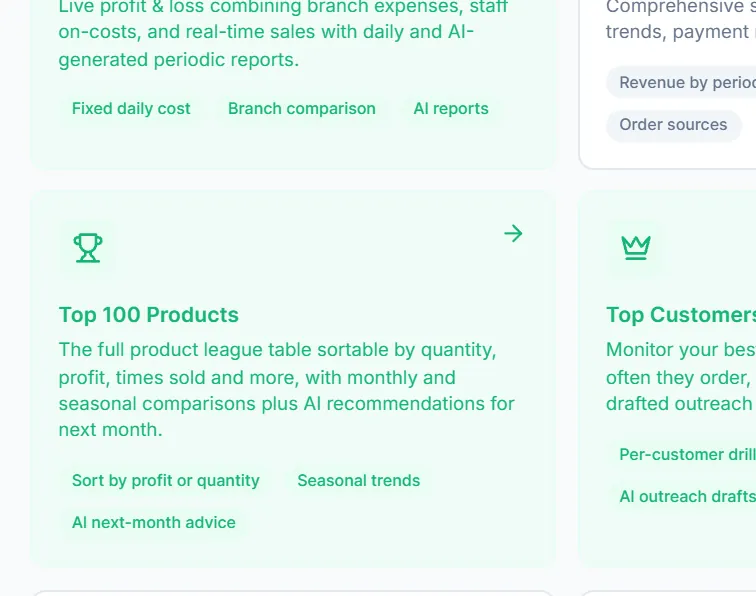
- Top 100 with AI advice. A league table sortable by quantity or profit, with seasonal trends and AI recommendations for next month.
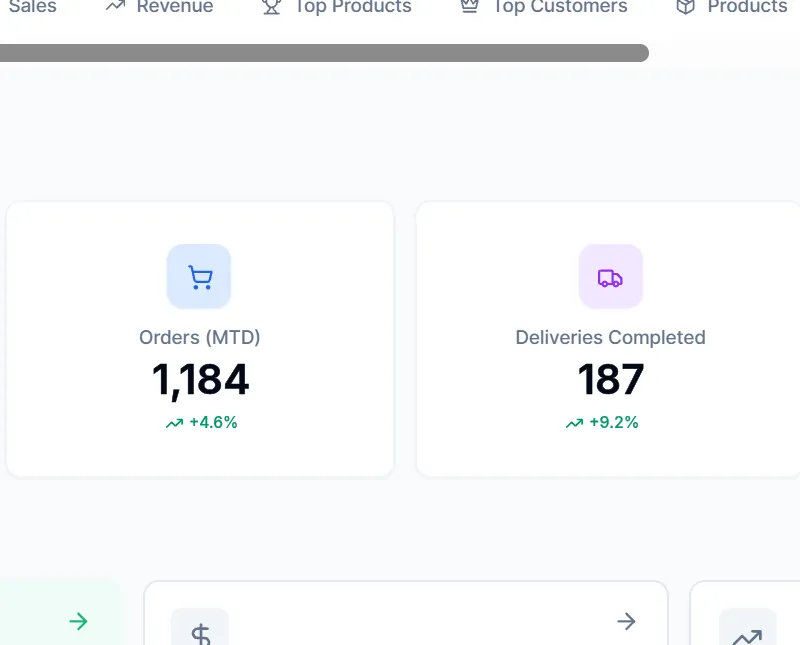
- Month to date. Revenue, orders, completed deliveries and active customers with their trend.
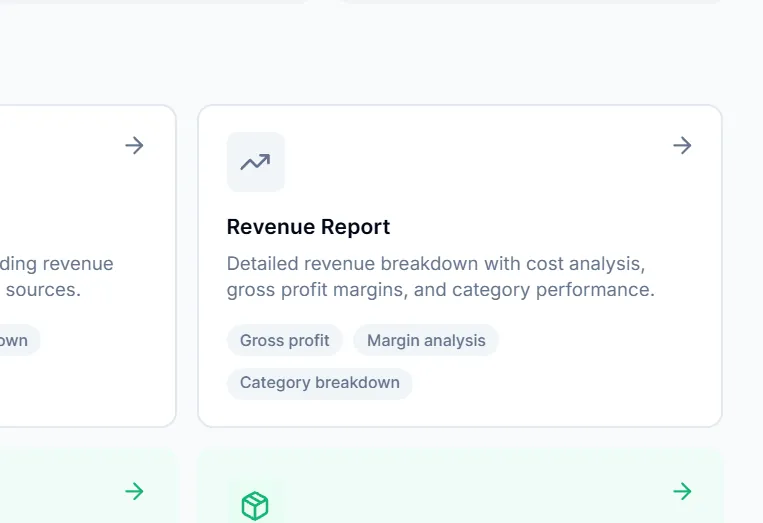
- Margin analysis. Gross profit, margin and category breakdowns with cost analysis.
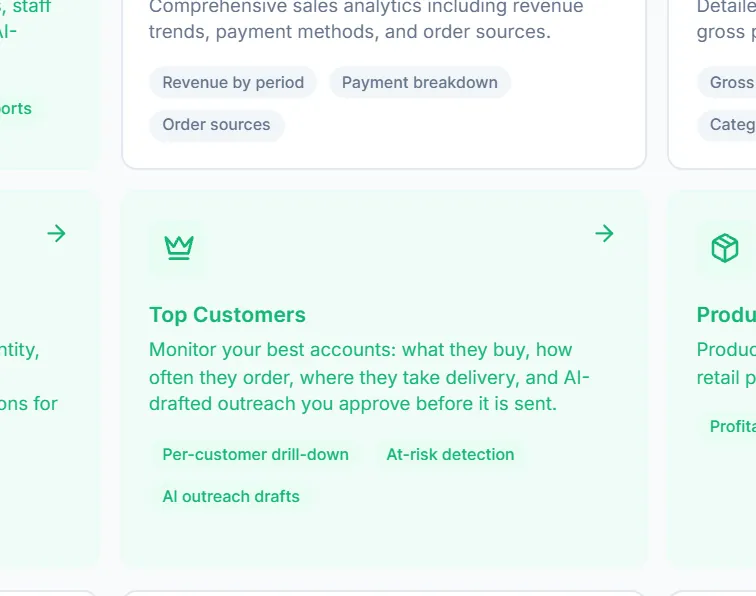
- Top customers with AI outreach. Per-customer drill-down, at-risk detection and AI-drafted outreach that you approve before it is sent.
WalkthroughEvery report in one placeRealtime P<op 100 with AI adviceTop customers with AI outreach Every report in one place. Realtime P&L, sales, revenue, top products, top customers, products, customers and deliveries as tabs.
Realtime P&L. Live profit and loss combining branch expenses, staff on-costs and real-time sales, with daily and AI-generated periodic reports.
Top 100 with AI advice. A league table sortable by quantity or profit, with seasonal trends and AI recommendations for next month.
Top customers with AI outreach. Per-customer drill-down, at-risk detection and AI-drafted outreach that you approve before it is sent.


Show 2 more details
Month to date. Revenue, orders, completed deliveries and active customers with their trend.
Margin analysis. Gross profit, margin and category breakdowns with cost analysis.


- Rank by what matters. Quantity, profit, times sold, revenue, margin, unique customers or growth.
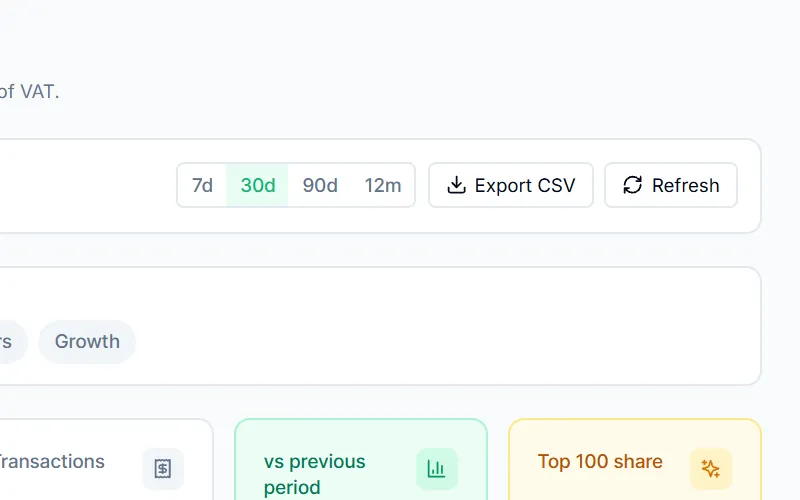
- Any period, exportable. 7, 30 and 90-day or 12-month presets, custom dates and CSV export.
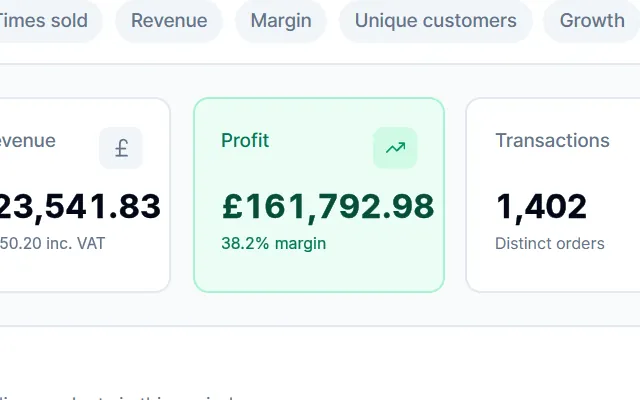
- Profit net of VAT. Net revenue, profit and margin are ex-VAT, so they match your accounts.
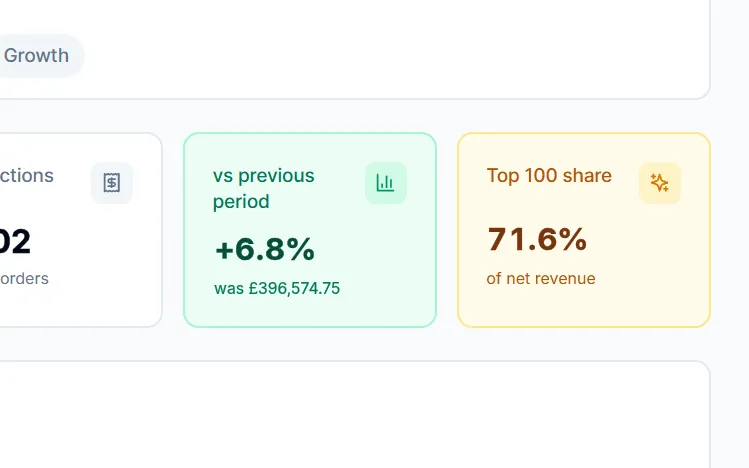
- Against last period. Growth versus the previous period and the Top 100's share of net revenue.
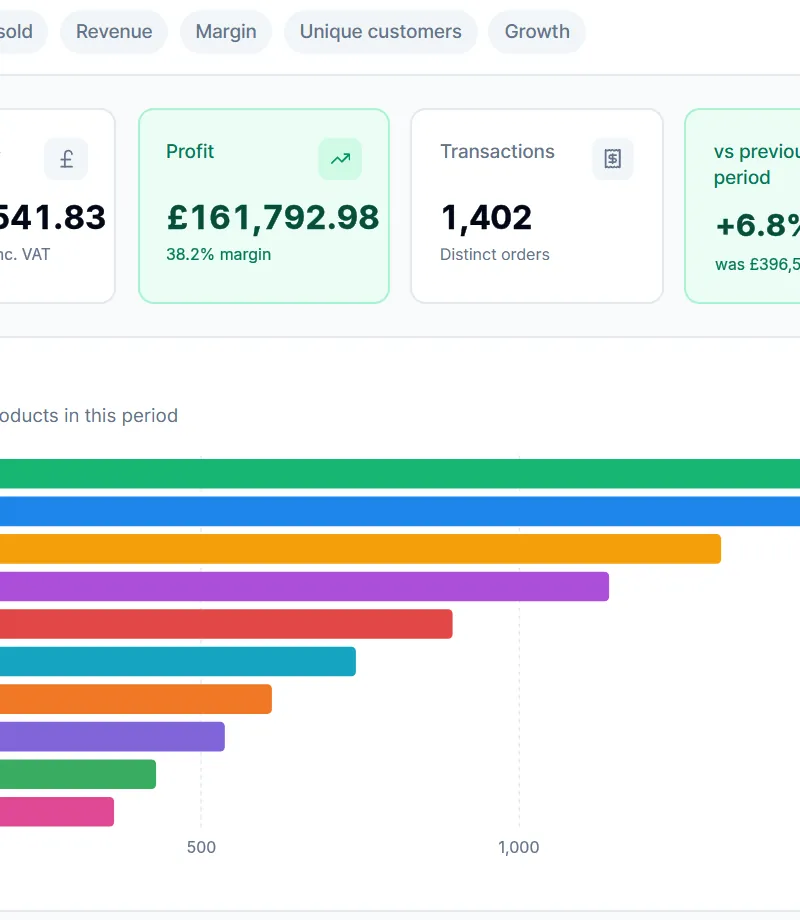
- Top 10 at a glance. The period's leading products, ranked visually.
Show all 5 details
Rank by what matters. Quantity, profit, times sold, revenue, margin, unique customers or growth.
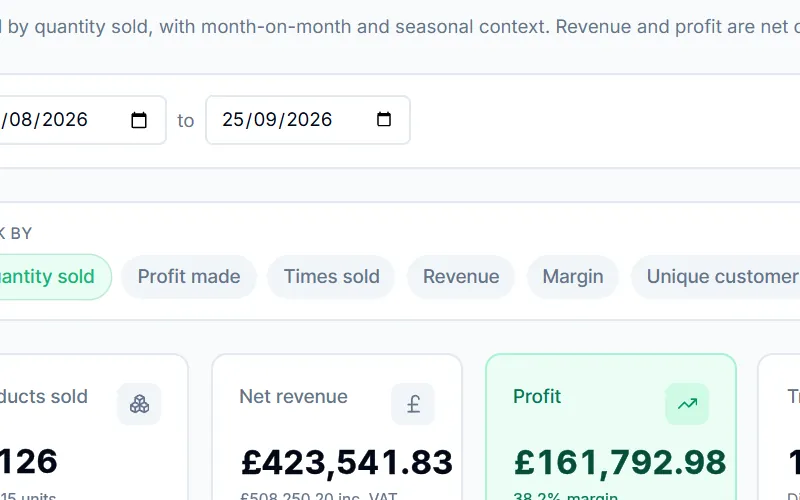
Any period, exportable. 7, 30 and 90-day or 12-month presets, custom dates and CSV export.
Profit net of VAT. Net revenue, profit and margin are ex-VAT, so they match your accounts.
Against last period. Growth versus the previous period and the Top 100's share of net revenue.
Top 10 at a glance. The period's leading products, ranked visually.


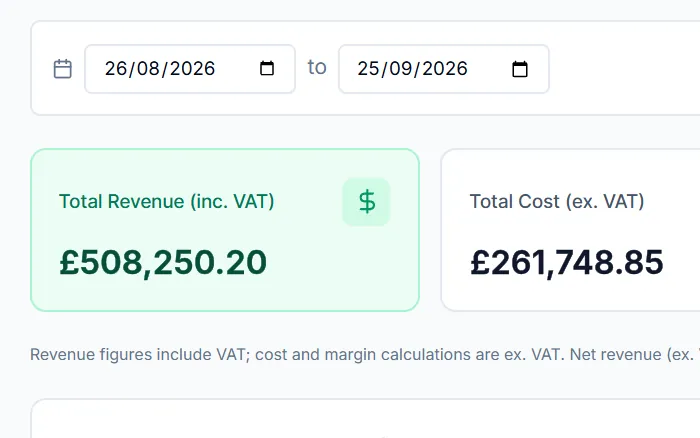
- Any date range. Pick the period and refresh on demand.
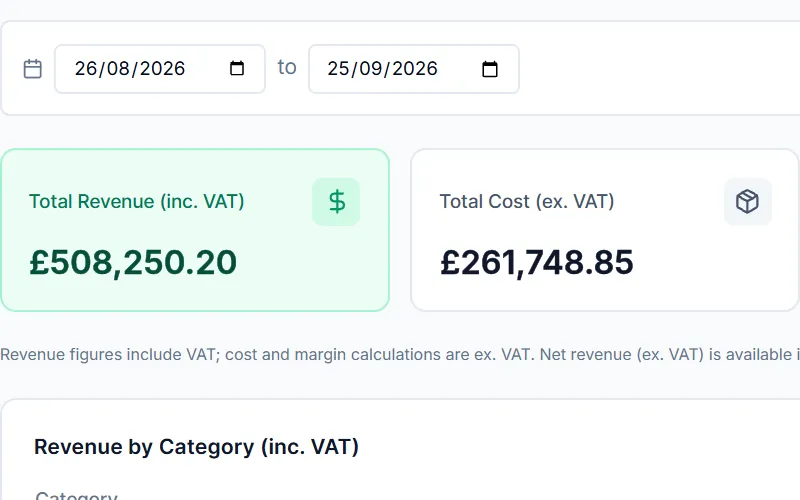
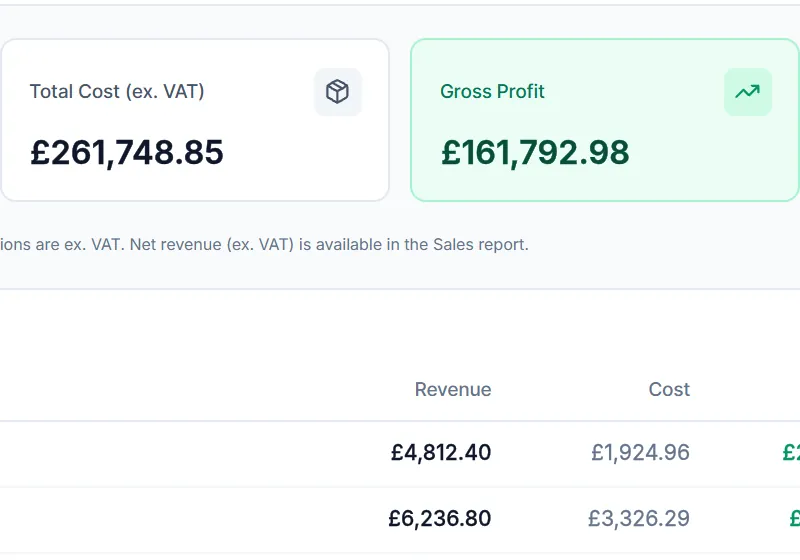
- Revenue against cost. Revenue including VAT set against cost excluding VAT for the period.
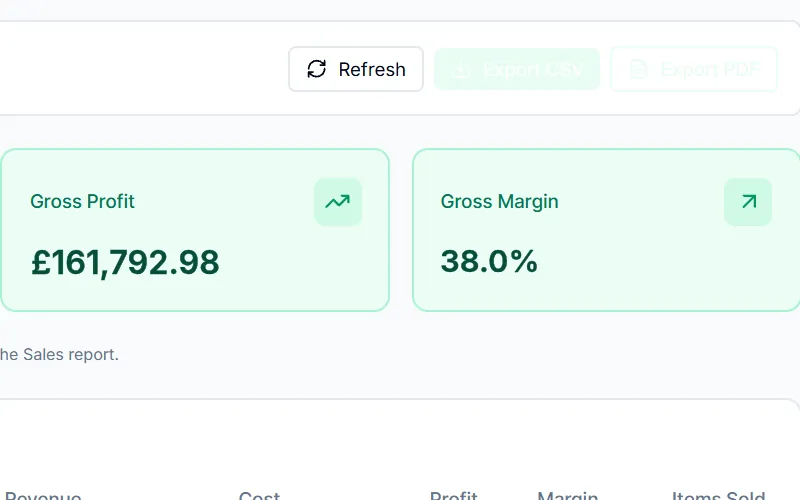
- Gross profit and margin. Calculated on ex-VAT figures.
- Margin by category. Revenue, cost, profit, margin and items sold for every category.
Show all 4 details
Any date range. Pick the period and refresh on demand.
Revenue against cost. Revenue including VAT set against cost excluding VAT for the period.
Gross profit and margin. Calculated on ex-VAT figures.
Margin by category. Revenue, cost, profit, margin and items sold for every category.


Email, SMS and WhatsApp from the same customer data.
Build audiences from real purchase history and send campaigns on the channel your customers answer, with an AI assistant to draft and analyse them.
- Drag-and-drop email designer and reusable templates
- SMS and WhatsApp through Twilio
- Audiences and unsubscribe management
- AI content, subject lines, audience suggestions and campaign analysis

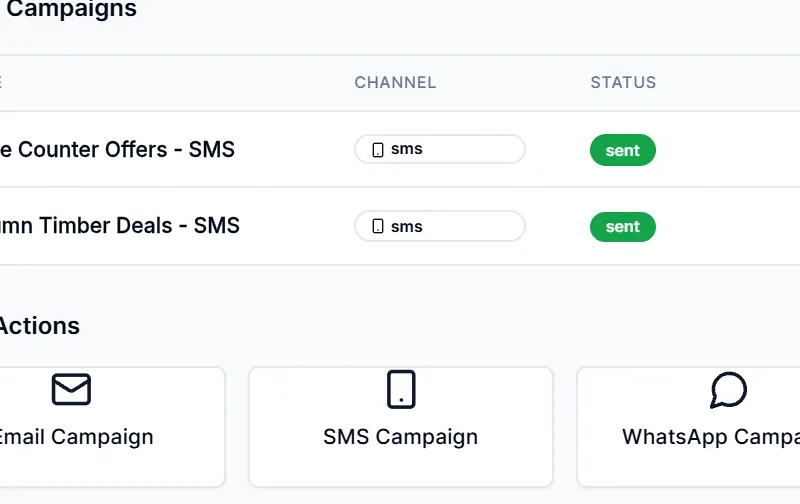
- Every campaign on record. Channel, status and send date for each campaign.
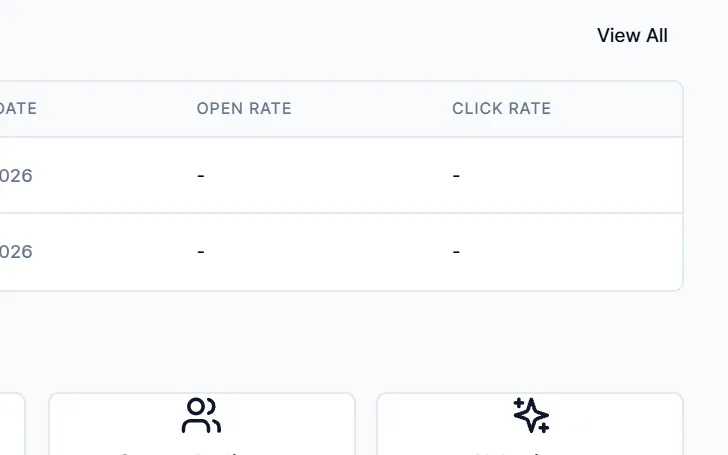
- Open and click rates. Engagement columns on every campaign.
- Email, SMS and WhatsApp. Three channels from one screen, with a drag-and-drop email designer and templates.
- Audiences. Segments built from your own customer and order data, with unsubscribes honoured.
- AI Assistant. Drafts content and subject lines, suggests audiences and analyses campaign results.
WalkthroughEvery campaign on recordEmail, SMS and WhatsAppAudiencesAI Assistant Every campaign on record. Channel, status and send date for each campaign.
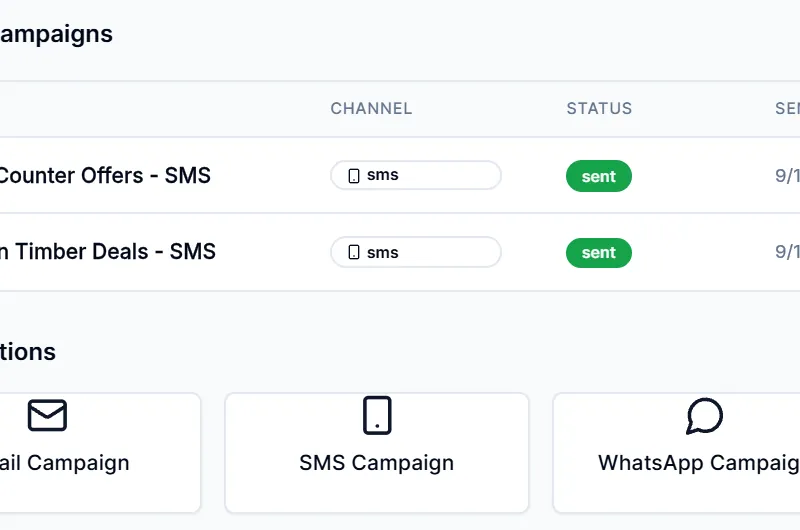
Email, SMS and WhatsApp. Three channels from one screen, with a drag-and-drop email designer and templates.
Audiences. Segments built from your own customer and order data, with unsubscribes honoured.
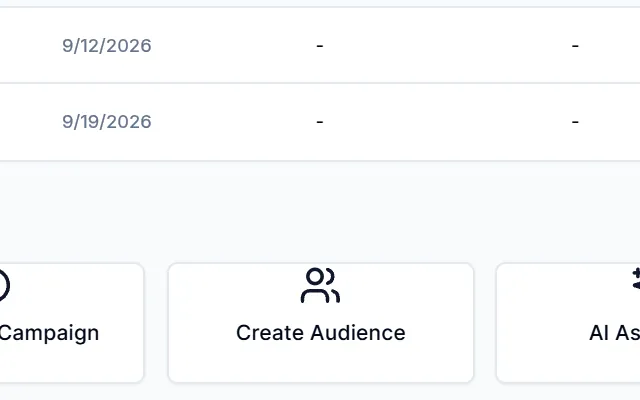
AI Assistant. Drafts content and subject lines, suggests audiences and analyses campaign results.


Show 1 more detail
Open and click rates. Engagement columns on every campaign.

Optimised routes and proof of delivery in the driver's pocket.
Routes are planned with Google's Route Optimization API against time windows and real vehicle payloads, then worked stop by stop in the Drivers app.
- Vehicles packed by the actual weight of each load
- Delivery slots, zones and weight-banded charges
- Photo and signature proof of delivery with GPS
- Cash on delivery, part-deliveries and failed drops recorded
- Works offline: proof of delivery queues until signal returns

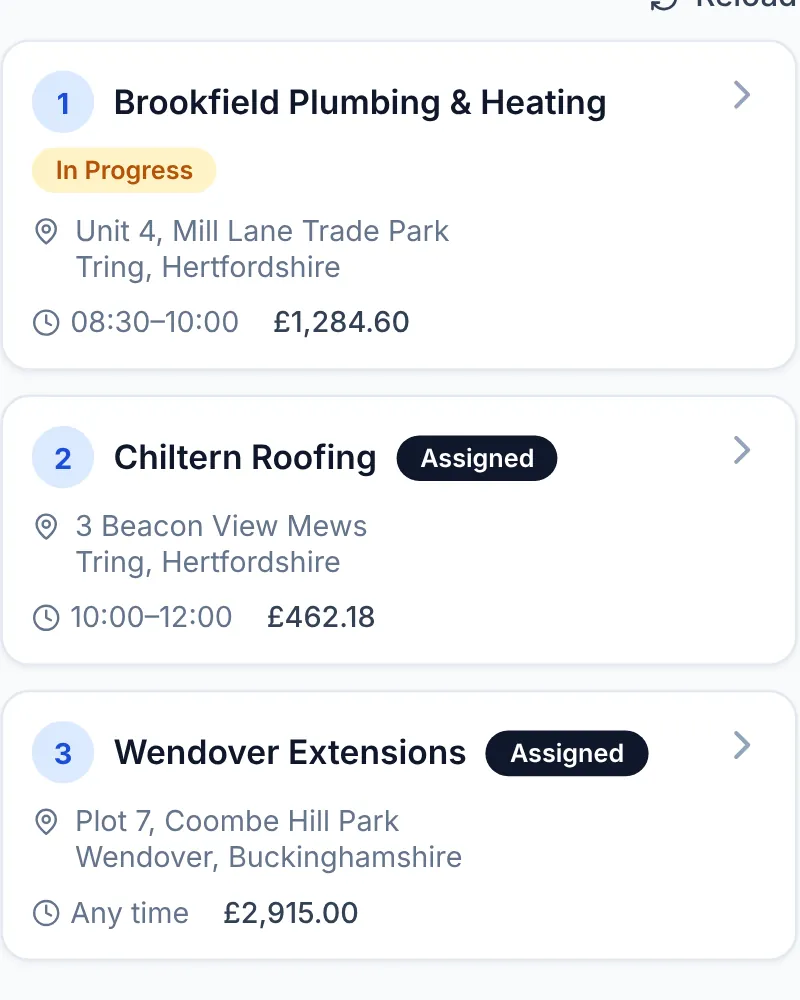
- Stops in route order. Each delivery carries its position from Google route optimisation, with address, slot and order value.
- Vehicle checks built in. Route map, deliveries and vehicle checks share one app; the walkaround check comes before the first drop.
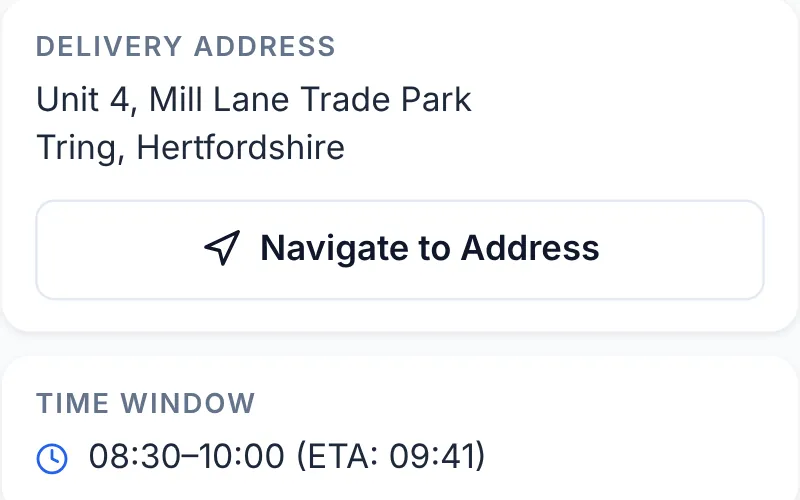
- One-tap navigation. Opens Google Maps directions to the drop, with the time window and ETA underneath.
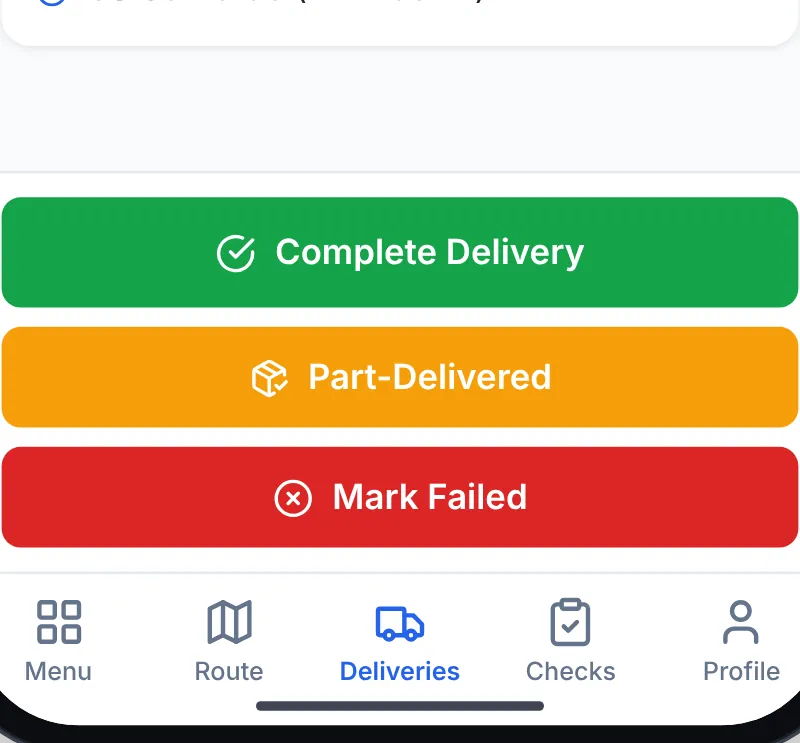
- Complete, part-deliver or fail. Every outcome is a button, so partial drops and failures are recorded properly rather than phoned in.
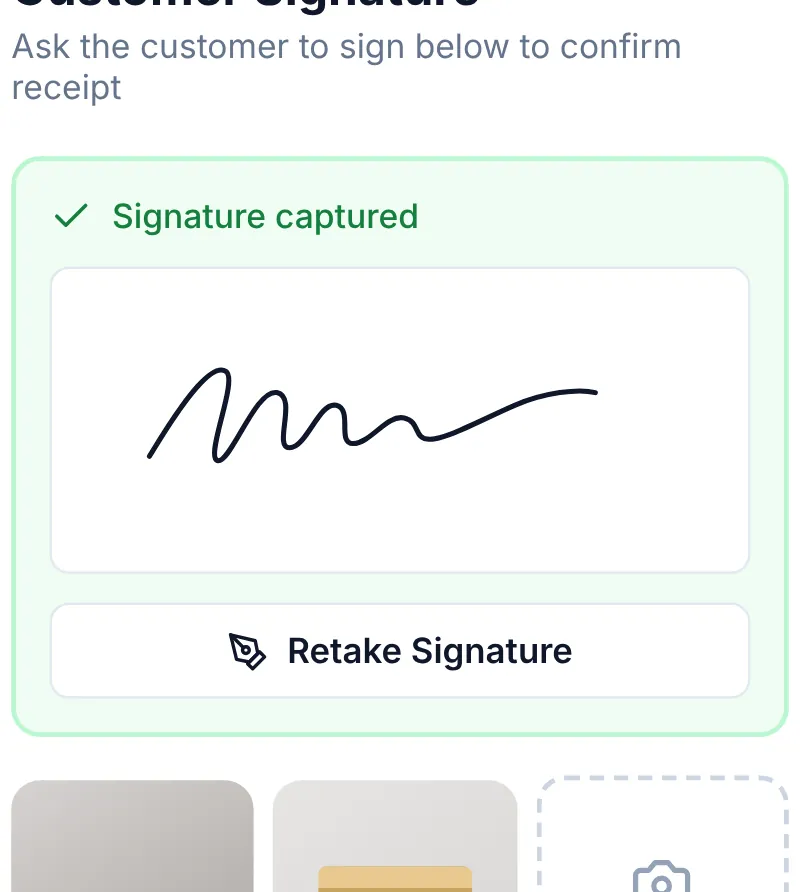
- Signature on glass. The customer signs on the driver's phone as part of a step-by-step proof-of-delivery flow.
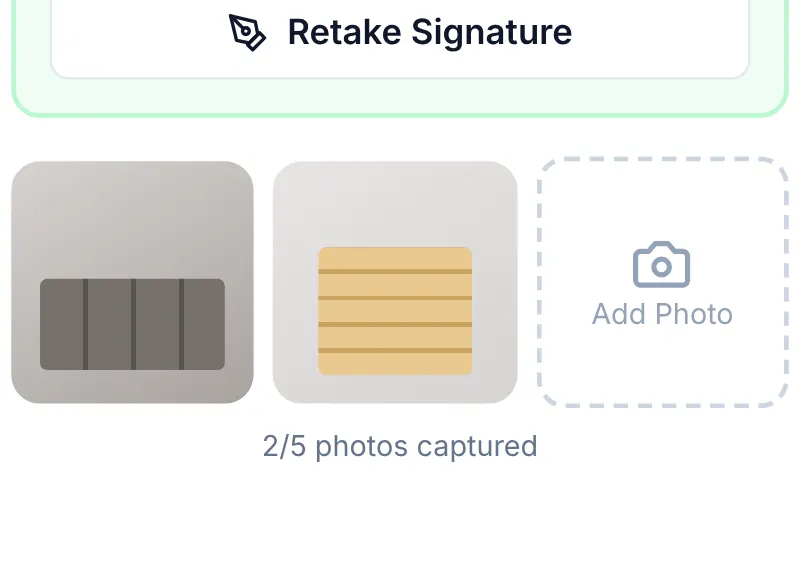
- Photo proof of delivery. Up to five photos of the goods, sent with GPS and queued for upload if the signal drops.
WalkthroughStops in route orderOne-tap navigationComplete, part-deliver or failSignature on glass Stops in route order. Each delivery carries its position from Google route optimisation, with address, slot and order value.
One-tap navigation. Opens Google Maps directions to the drop, with the time window and ETA underneath.
Complete, part-deliver or fail. Every outcome is a button, so partial drops and failures are recorded properly rather than phoned in.
Signature on glass. The customer signs on the driver's phone as part of a step-by-step proof-of-delivery flow.


Show 2 more details
Vehicle checks built in. Route map, deliveries and vehicle checks share one app; the walkaround check comes before the first drop.
Photo proof of delivery. Up to five photos of the goods, sent with GPS and queued for upload if the signal drops.


Stock control from the shop floor.
Receive deliveries against purchase orders, count stock and fix quantities from a phone or a rugged scanner, without walking back to the office.
- Receive stock against open purchase orders
- Blind stock takes with variance checks and recounts
- Camera or hardware barcode scanning
- AI photo search when a product has no barcode

- Four jobs, one tap. Receive stock, run a stock take, look up any product or add a new one from the shop floor.
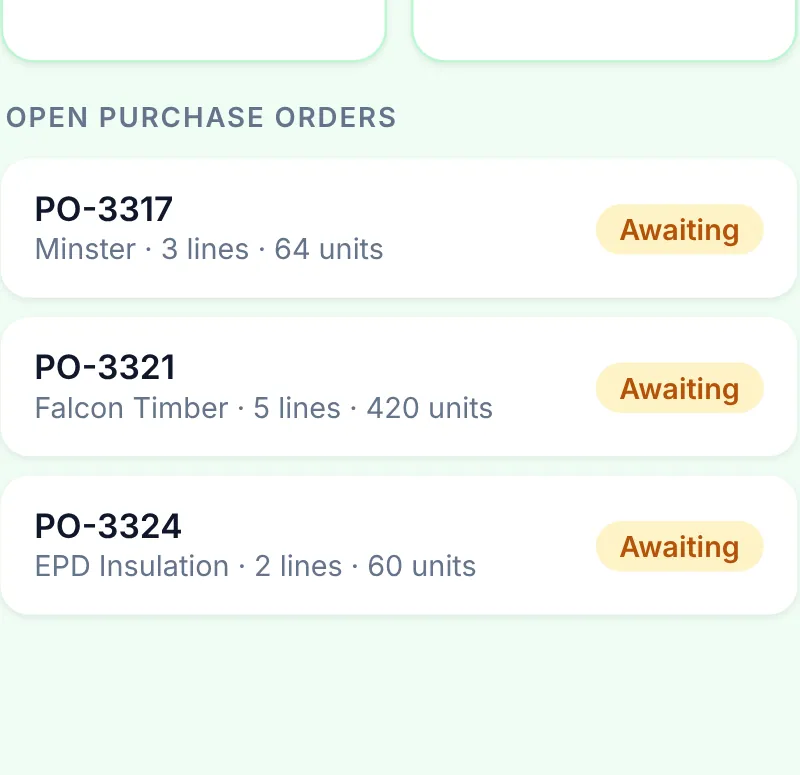
- Receive against the PO. Purchase orders awaiting delivery are listed, so goods-in is booked against the order.
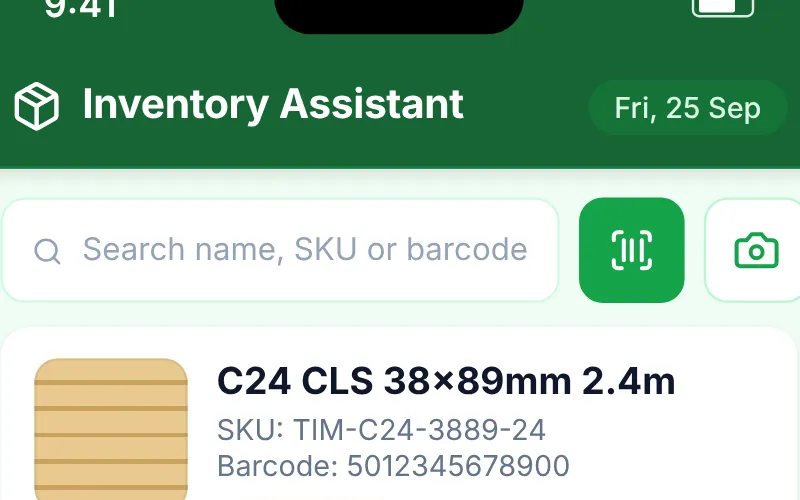
- Scan, or photograph the label. Camera barcode scanning, plus AI photo search that reads a product label when there is no barcode.
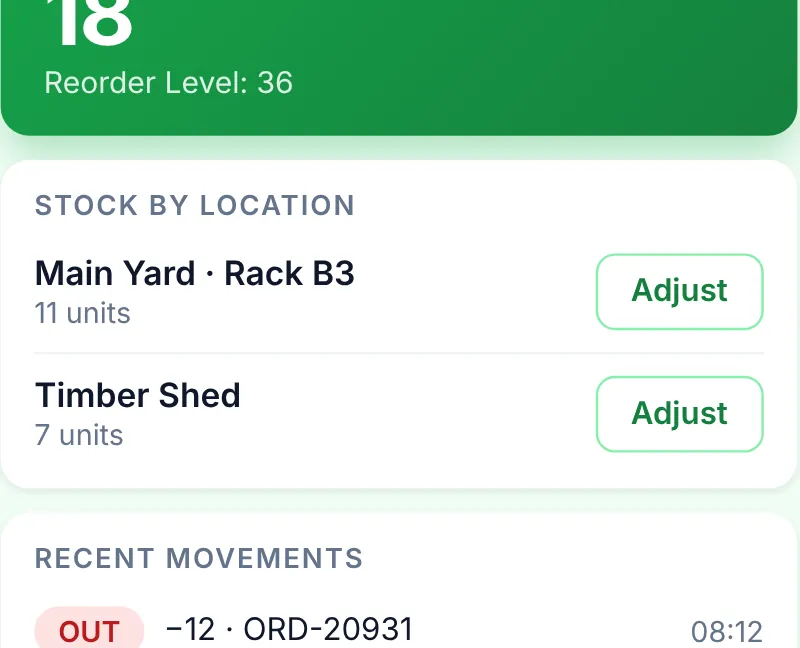
- Stock by location. Quantity per location with the reorder level and low-stock status, plus recent movements.
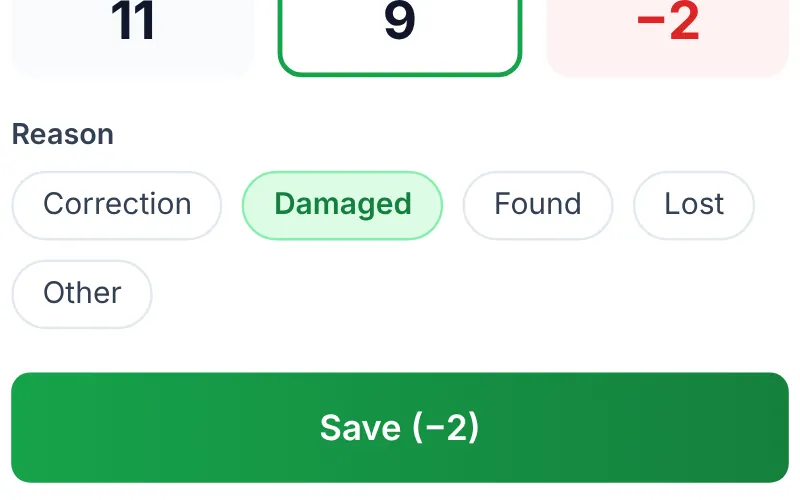
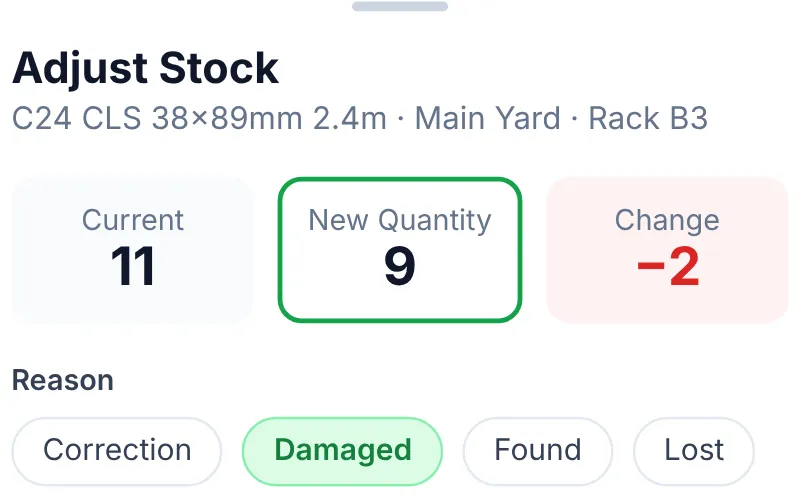
- Adjust without the back office. Enter the counted quantity and the change is worked out for you.
- Every adjustment has a reason. Correction, damaged, found, lost or other, recorded as a stock movement.
WalkthroughFour jobs, one tapScan, or photograph the labelStock by locationEvery adjustment has a reason Four jobs, one tap. Receive stock, run a stock take, look up any product or add a new one from the shop floor.
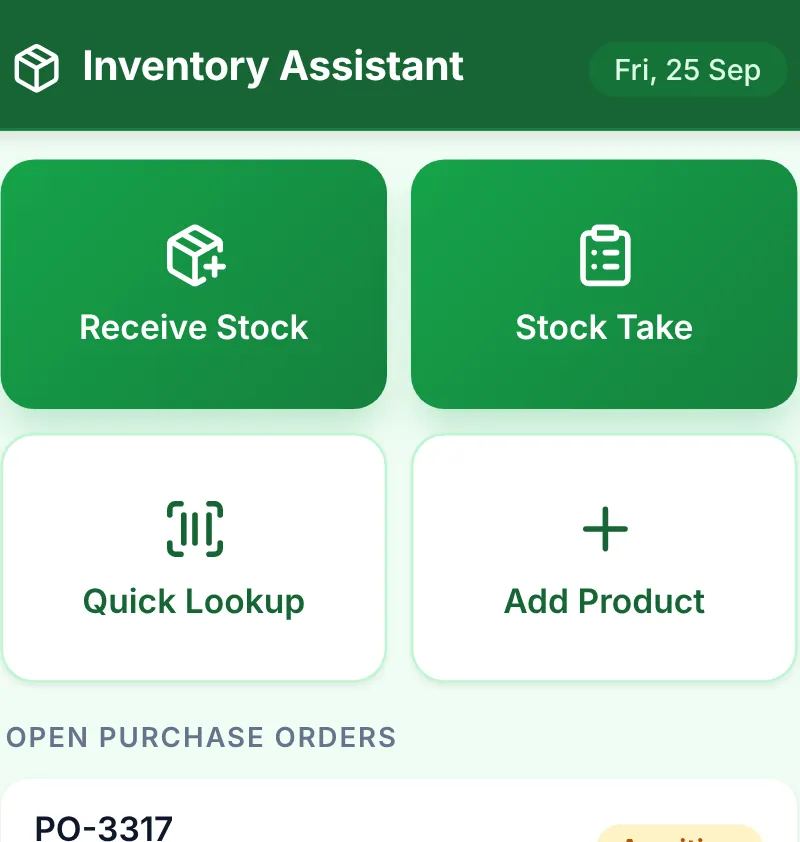
Scan, or photograph the label. Camera barcode scanning, plus AI photo search that reads a product label when there is no barcode.
Stock by location. Quantity per location with the reorder level and low-stock status, plus recent movements.
Every adjustment has a reason. Correction, damaged, found, lost or other, recorded as a stock movement.


Show 2 more details
Receive against the PO. Purchase orders awaiting delivery are listed, so goods-in is booked against the order.
Adjust without the back office. Enter the counted quantity and the change is worked out for you.


Pick it right the first time.
Store, delivery and collection orders arrive in separate queues. Scan to pick, and record shortages with a reason at the shelf.
- Queues for store orders, deliveries and collections
- Scan a barcode to pick the matching line
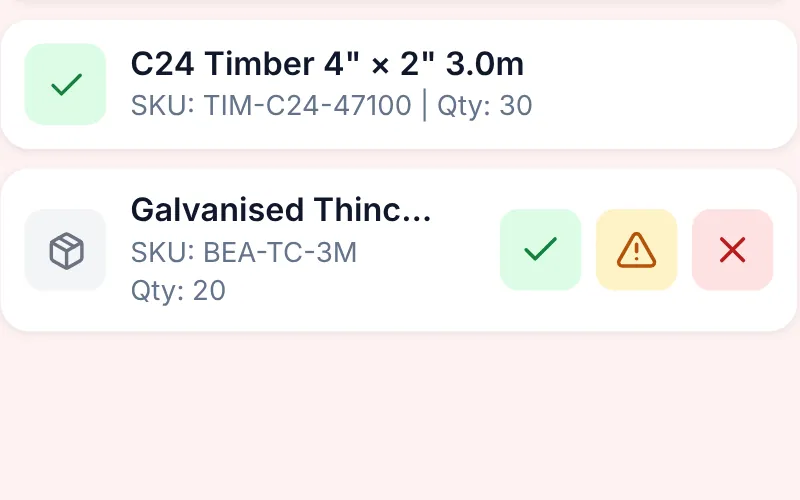
- Picked, partial and unavailable outcomes per line
- Progress bar and completion status for every order

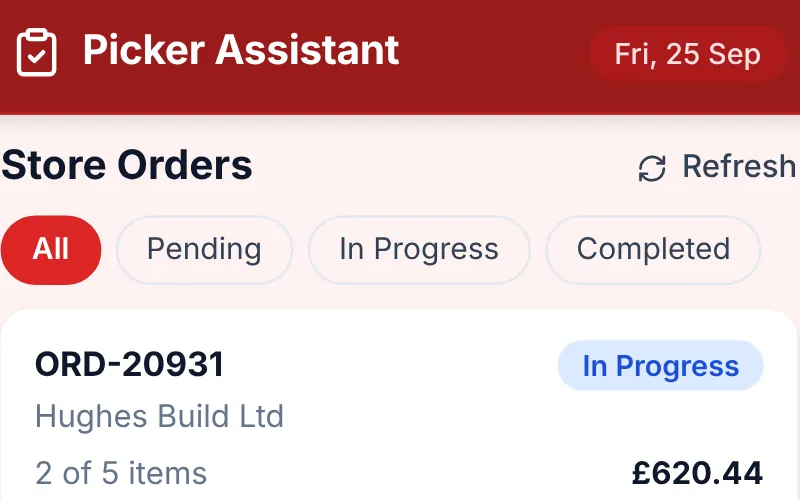
- A live pick queue. Orders filtered by pending, in progress and completed, with item counts and value.
- Store, delivery and collection. Separate queues for counter sales, delivery loads and collections.
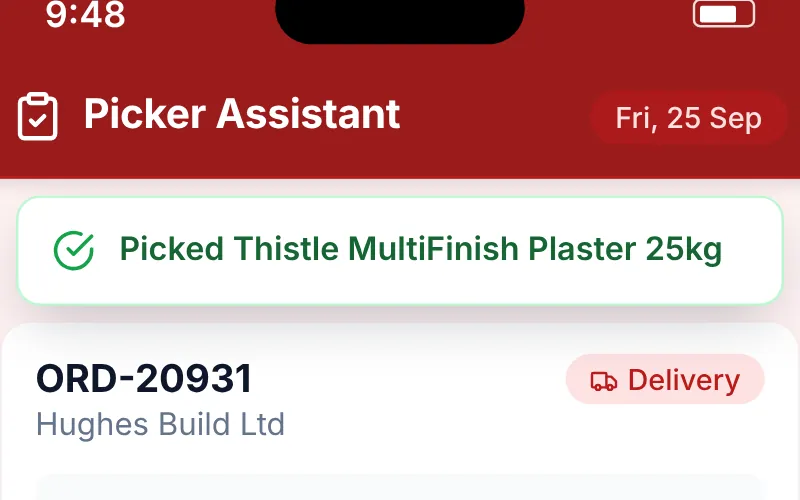
- Scan to pick. Scanning a product's barcode picks the matching line and confirms it on screen.
- Picked, partial or unavailable. Three outcomes per line, so shortages are recorded at the shelf, not found at the van.
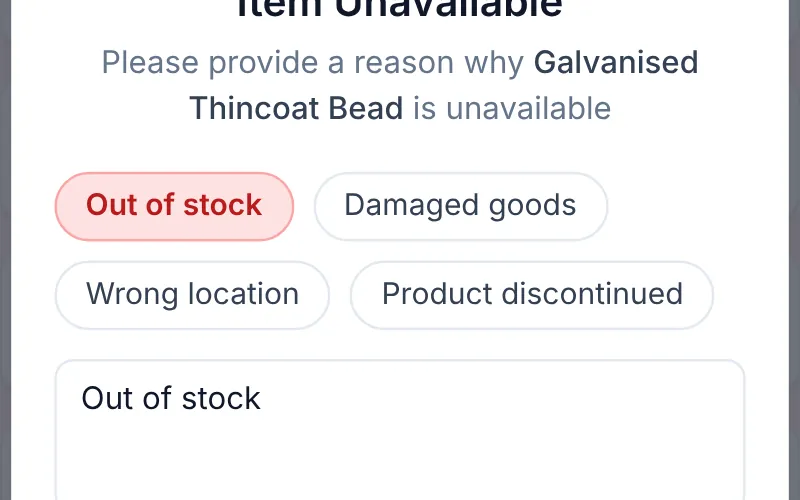
- Shortages explained. Unavailable and partial picks need a reason: out of stock, damaged, wrong location or discontinued.
WalkthroughA live pick queueScan to pickPicked, partial or unavailableShortages explained A live pick queue. Orders filtered by pending, in progress and completed, with item counts and value.
Scan to pick. Scanning a product's barcode picks the matching line and confirms it on screen.
Picked, partial or unavailable. Three outcomes per line, so shortages are recorded at the shelf, not found at the van.
Shortages explained. Unavailable and partial picks need a reason: out of stock, damaged, wrong location or discontinued.


Show 1 more detail
Store, delivery and collection. Separate queues for counter sales, delivery loads and collections.

And the parts most systems sell separately.
Trade pricing engine
Floor, Trade Tier 2, Trade Tier 1 and retail prices cascade from cost; accounts are assigned a tier or custom prices, all held ex-VAT with VAT added per line.
Pricing Library
Drop in supplier invoices and AI extracts every line, converts it to a per-piece ex-VAT price and ranks suppliers so you can see the best price for each product.
CRM and credit accounts
Trade credit applications and agreements, credit limits, statements and payment history for every account customer.
Document designer
Branded templates for invoices, estimates, proformas, receipts, credit notes, refunds, delivery notes and picking lists.
Fleet and compliance
Vehicles, drivers and inspection schedules, with overdue checks surfaced on the dashboard and walkaround checks in the Drivers app.
Aura AI assistant
An assistant built on Claude with tools for orders, stock, deliveries, reports and marketing, limited to your own business data.
Accounting and payments
Sales invoices, credit notes, payments and contacts sync to Xero; online and terminal payments run through Stripe.
Open to AI agents
An MCP server lets approved AI agents work with your store, with high-risk actions such as cost-price changes routed for human approval.
One system where others need three.
Traditional merchant systems handle trade pricing and purchasing well, and e-commerce platforms handle the web store. AI Merchant covers both, plus the vans, the yard and the AI, in one live dataset.
| Capability | AI Merchant | Typical merchant system | Generic e-commerce platform |
|---|---|---|---|
| Trade price tiers per account, held ex-VAT with VAT per line | Built in | Usually built in | Typically via plugins |
| Trade-counter till sharing live stock with the web store | Built in | Often a separate module | Retail-focused POS add-ons |
| Driver app with route optimisation and photo and signature POD | Built in | Often a third-party system | Not designed for it |
| Picking and stock-take apps with barcode scanning | Built in | Varies by vendor | Not typical |
| Purchase orders from low stock at each supplier's own rates | Built in | Usually built in | Via add-ons |
| Builders-merchant units: m, m², m³, tonne, sheet, bag | Built in | Usually built in | Mostly sold by the item |
| AI inside daily work, with human approval before anything is sent | Built in | Rarely offered | Generic writing tools |
| MCP server for AI agents, with approval on risky actions | Built in | Rarely offered | Varies by platform |
Comparison describes typical capabilities of each category, not any named product; individual systems vary. AI Merchant capabilities reflect the current release.
See it running on your own stock.
Start free, or book a walkthrough tailored to your yard, your vans and your trade accounts.